PostgreSQL Overview
Fully managed PostgreSQL databases with automated backups, high availability, and easy scaling.
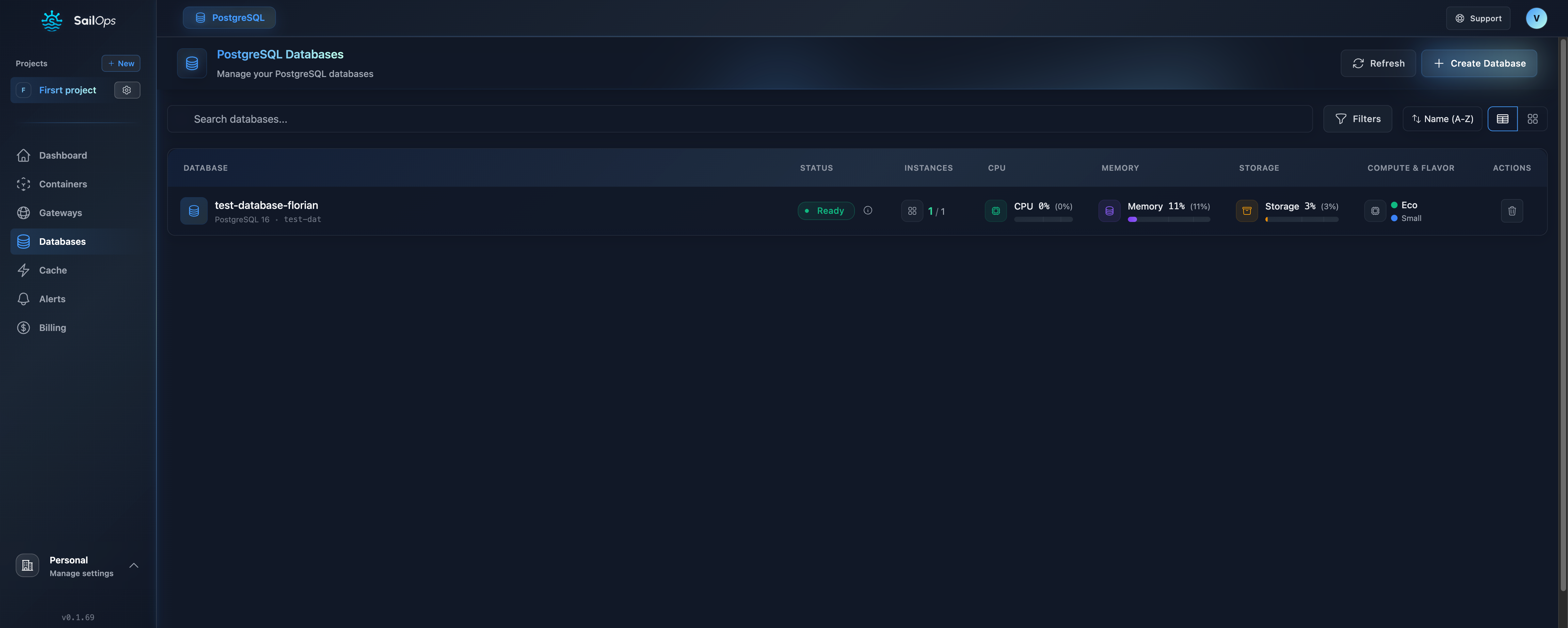
What is SailOps PostgreSQL?
SailOps provides fully managed PostgreSQL databases that take care of the operational complexity:
- Automated backups with restore points retained for up to 30 days
- High availability with automatic failover
- Automatic updates and security patches
- Monitoring and alerting built-in
- Easy scaling without downtime
Supported Versions
| Version | Status | End of Life |
|---|---|---|
| PostgreSQL 17 | Latest | November 2029 |
| PostgreSQL 16 | Current | November 2028 |
| PostgreSQL 15 | Existing only | November 2027 |
| PostgreSQL 14 | Existing only | November 2026 |
| PostgreSQL 13 | EOL/Deprecated | November 2025 |
New deployments are restricted to PostgreSQL 16 or 17. Existing databases on versions 13–15 continue to operate but cannot be created through the API or dashboard.
Key Features
Automated Backups
- Daily automated backups
- Restore from a completed backup
- Up to 30 days retention
- One-click restore
High Availability
- Automatic failover in case of failure
- Standby replicas in different availability zones
- < 30 second recovery time
- No data loss
Security
- Encrypted at rest by the hosting infrastructure
- Encrypted in transit (TLS)
- Network isolation per project
- Automatic security updates
Monitoring
- Real-time metrics (CPU, memory, connections)
- Query performance insights
- Automated alerts
- Log access
Compute Classes and Flavors
Database compute classes define the performance tier. Within each class, choose a flavor that specifies the CPU and memory allocation.
Compute Classes
| Class | Description | Best For |
|---|---|---|
| Eco | Shared resources, cost-effective | Development, testing, budget-conscious workloads |
| Standard | Balanced performance | General production databases |
| Production | Dedicated resources | Sensitive workloads requiring guaranteed performance |
Flavors
Within each compute class, select a flavor to define the resource allocation:
| Flavor | Description |
|---|---|
| Small | Entry-level resources for light workloads |
| Medium | Balanced resources for standard applications |
| Large | Higher resources for demanding workloads |
| XLarge | Maximum resources for enterprise-scale databases |
The exact CPU and memory values for each flavor depend on the selected compute class. Pricing is displayed when selecting a flavor in the dashboard. You can also query the Pricing API for current values.
- Start with Eco for development and testing
- Use Standard for most production databases
- Choose Production when you need dedicated performance guarantees for critical data
Storage Classes
Choose the storage class based on your I/O requirements:
| Class | Max IOPS | Best For |
|---|---|---|
| standard | 5,000 | General workloads, development |
| performance | 15,000 | High I/O, OLTP, analytics |
Storage can be increased at any time without downtime. All storage uses NVMe SSDs.
The storage class is set at creation and cannot be changed afterward. Choose carefully between standard and performance when creating your database.
When a PostgreSQL database runs out of disk space, the platform automatically expands the underlying volumes to match the configured storage size. This ensures the database recovers even when the database engine itself is blocked by full disks. Storage-only updates are applied immediately without waiting for the database engine to become fully ready.
Connection Pooling (PgBouncer)
SailOps offers optional managed PgBouncer connection pooling for PostgreSQL databases. PgBouncer sits between your application and the database, managing a pool of server connections to reduce connection overhead and improve throughput.
Pooling Modes
| Mode | Description | Best For |
|---|---|---|
| session | A server connection is assigned for the full client session | General-purpose applications, ORMs that use session-level features |
| transaction | A server connection is assigned only for the duration of a transaction | High-concurrency workloads, serverless functions, connection-limited environments |
Configuration
| Parameter | Range | Default | Description |
|---|---|---|---|
instances | 1–5 | 1 | Number of PgBouncer instances for availability |
maxClientConnections | 1–10 000 | 500 | Maximum concurrent client connections |
defaultPoolSize | 1–1 000 | 20 | Server connections per database/user pair |
reservePoolSize | 0–1 000 | 5 | Extra server connections for burst traffic |
Enabling PgBouncer
- Go to your PostgreSQL service details
- Open the Connection Pooling section
- Enable PgBouncer and configure the mode and parameters
- Save changes
When enabled, a pooled connection endpoint becomes available alongside the standard direct endpoint.
Pooled Connection Details
The pooled endpoint uses a different host and port from the direct connection:
| Field | Example |
|---|---|
| Host | my-database-pooler-rw |
| Port | 5432 |
| Database | postgres |
Enable PgBouncer when your application opens many short-lived connections or when you hit PostgreSQL's max_connections limit. For long-lived connections with session-level features (prepared statements, advisory locks), use the direct endpoint instead.
Connection Details
After creating a database, you'll receive connection details using short service names (resolvable within the same project namespace):
| Field | Example |
|---|---|
| Host | my-database-rw |
| Port | 5432 |
| Database | postgres |
| Username | postgres |
| Password | Auto-generated |
Connection String
postgresql://postgres:PASSWORD@my-database-rw:5432/postgres
You can find the full connection string in the database Overview tab under "Connection Information".
PostgreSQL databases use the -rw suffix for the primary (read-write) endpoint and -ro for the read-only (standby) endpoint. For example, a database named my-database will have:
- Primary:
my-database-rw:5432 - Standby:
my-database-ro:5432
Endpoints include the port number and use short service names without the namespace suffix.
Internal Access (Default)
By default, databases are only accessible from within your project via internal DNS.
Public Access (Optional)
You can enable public access to connect from external applications:
- Go to your database settings
- Enable Public Access
- Configure the IP Allowlist — add each allowed CIDR and an optional note (up to 100 characters) to identify its purpose
When enabled:
- A dedicated gateway is created for your database
- Port 5432 is exposed with TLS encryption
- Only IPs in your allowlist can connect
Always use IP allowlisting when enabling public access. Never expose your database without restrictions.
Services that depend on a database
Some services, such as Keycloak, store their data in a PostgreSQL service of the project. Such a service gets its own database and role on the PostgreSQL service. These items appear in the Databases & Users tab with a read-only badge naming the service that manages them. You cannot edit, delete or reset the password of a dependency-managed database or role — make changes through the service that owns them instead. The Overview tab of the PostgreSQL service lists the services that use it under Used by, and the PostgreSQL service cannot be deleted while one of them exists.
Quick Start
Create a Database
- Go to Services in the sidebar
- Click Create Service and select PostgreSQL
- Choose a name and PostgreSQL version
- Select compute class, flavor, and storage
- Click Create
Your database is ready in about 30 seconds.
Database Detail Tabs
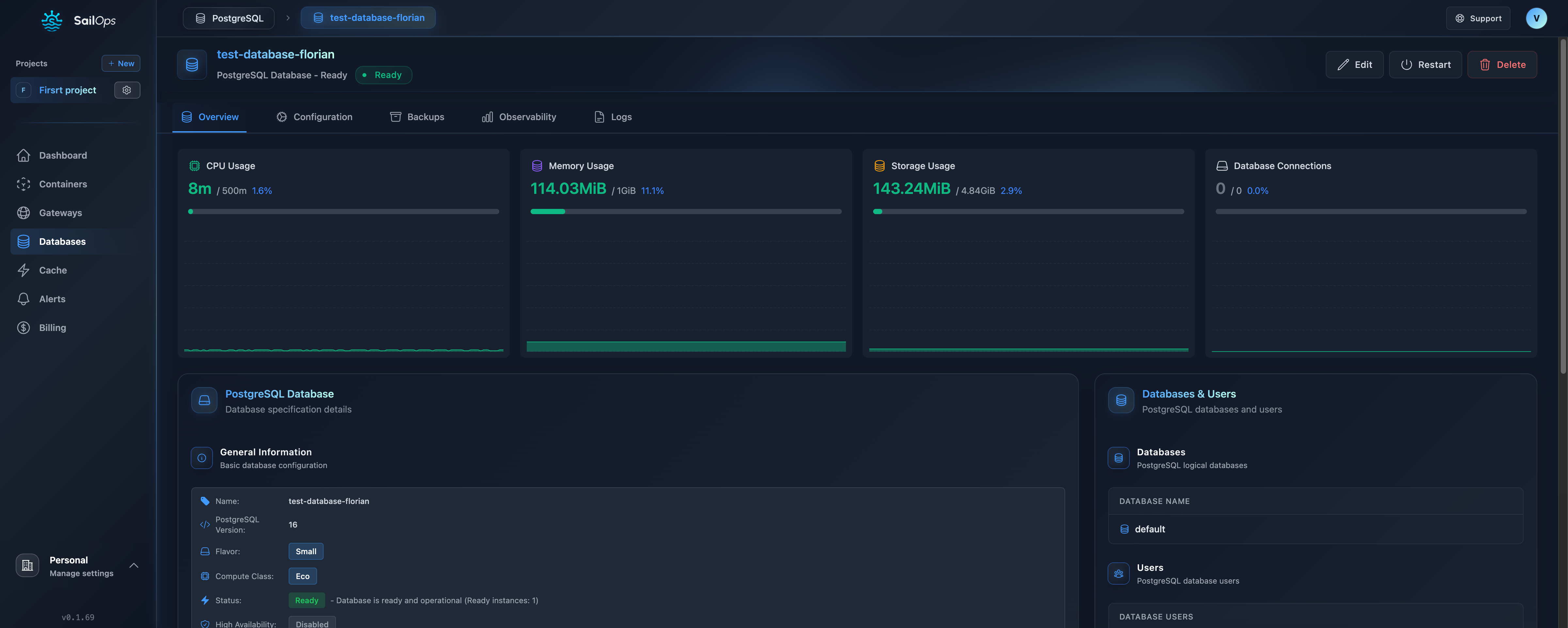
Once created, your PostgreSQL database detail view has the following tabs:
| Tab | Description |
|---|---|
| Overview | Status, connection information, configuration summary |
| Databases & Users | Create and manage databases, roles, and their access permissions |
| Backups | View backup history, trigger manual backups, restore from backup |
| Observability | CPU, memory, storage, and connection metrics |
| Logs | Real-time and historical database logs |
Logical databases
Each PostgreSQL instance holds up to 10 logical databases (including the one created with the instance). The current count is shown next to the Create Database button. When the limit is reached, you must delete an existing database before creating a new one.
Database Roles and Access
PostgreSQL databases support role-based access control:
- Create roles with specific database access permissions
- Edit role access — change which databases a role reaches, and at which level, from the pencil icon
- Access levels — Superuser (full administrative access), Full (read, write, and schema changes such as
CREATE SCHEMAandCREATE EXTENSION), Write (read and write), or Read Only - Manage credentials — reset passwords for any role
Access permissions are applied immediately when a role is created or updated.
Roles created automatically by a connection cannot be edited or deleted from the Databases & Users tab. To change the access level, update the connection that provisioned the role; to remove the role, delete the connection.
Creating databases, roles, and backups requires the Manager role or higher in the project. Read-only members can view database details but cannot make changes.
Connect from a Container
// Node.js example
const { Pool } = require('pg');

const pool = new Pool({
  connectionString: process.env.DATABASE_URL
});

const result = await pool.query('SELECT NOW()');
console.log(result.rows[0]);
Database Architecture
Extensions
PostgreSQL extensions are available to enhance functionality:
| Extension | Purpose |
|---|---|
pgcrypto | Cryptographic functions |
uuid-ossp | UUID generation |
pg_stat_statements | Query statistics |
postgis | Geographic objects |
pg_trgm | Trigram matching |
Pricing
Databases are billed per-hour based on compute class and storage:
| Component | Pricing |
|---|---|
| Compute | Per compute class (see table above) |
| Storage | €0.1234/GiB/month (standard) or €0.168/GiB/month (performance) |
| Backups | €0.07/GiB/month of backup storage, from the first byte |